Robotics behind Pico
A robot combines sensing, computing and acting in a loop. Pico is a small social robot: it does not move, but it senses you, decides what to show and acts through its screen and speaker.
The loop Pico runs
Sense
Reads six buttons and receives agent requests over Wi-Fi.
Plan
Picks the face, message and sound for the request and its urgency.
Act
Draws on the screen, plays sounds or voice clips and sends your answer back to the agent.
Improve
Testing with people tunes timing, sounds and how much text to show.
Inside the enclosure
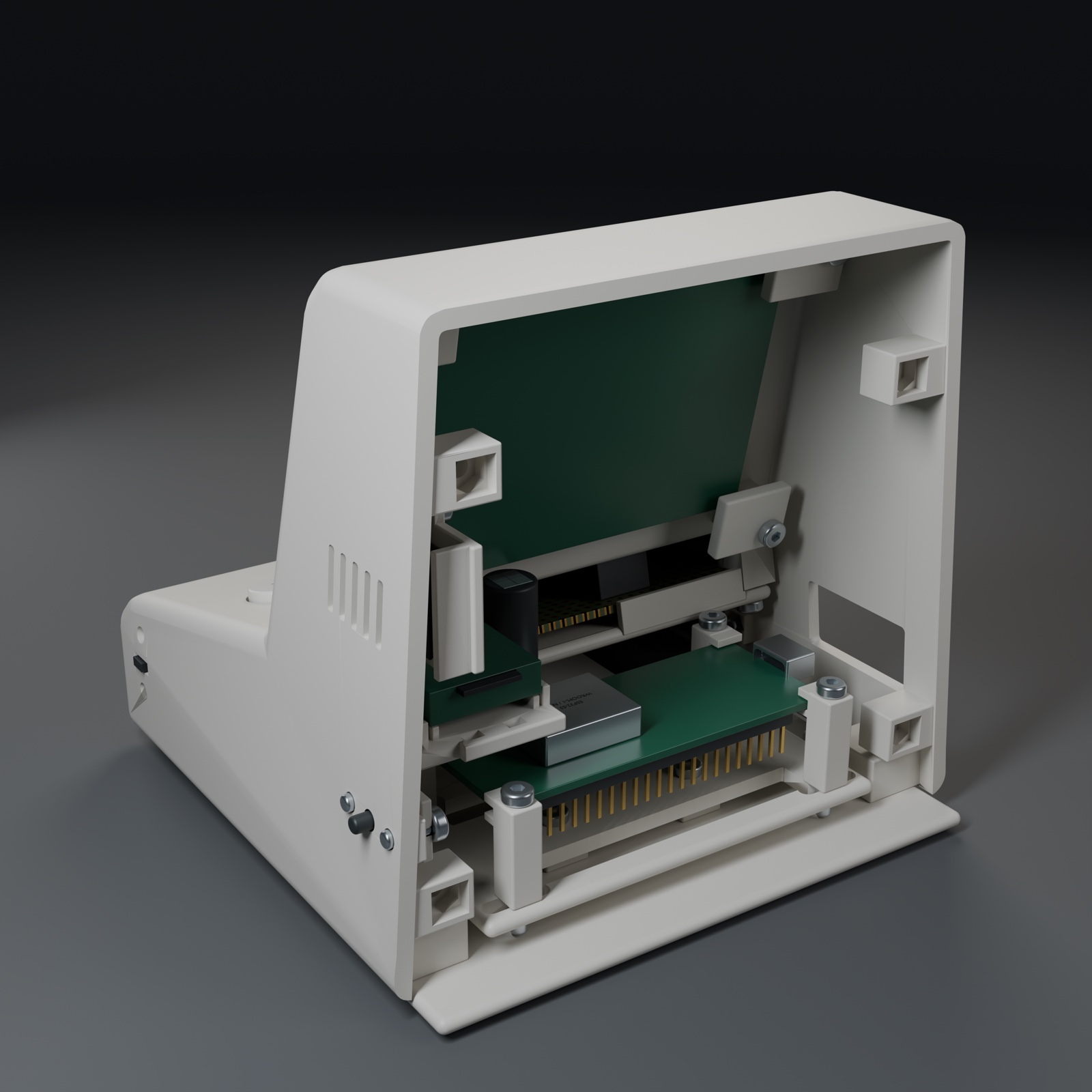
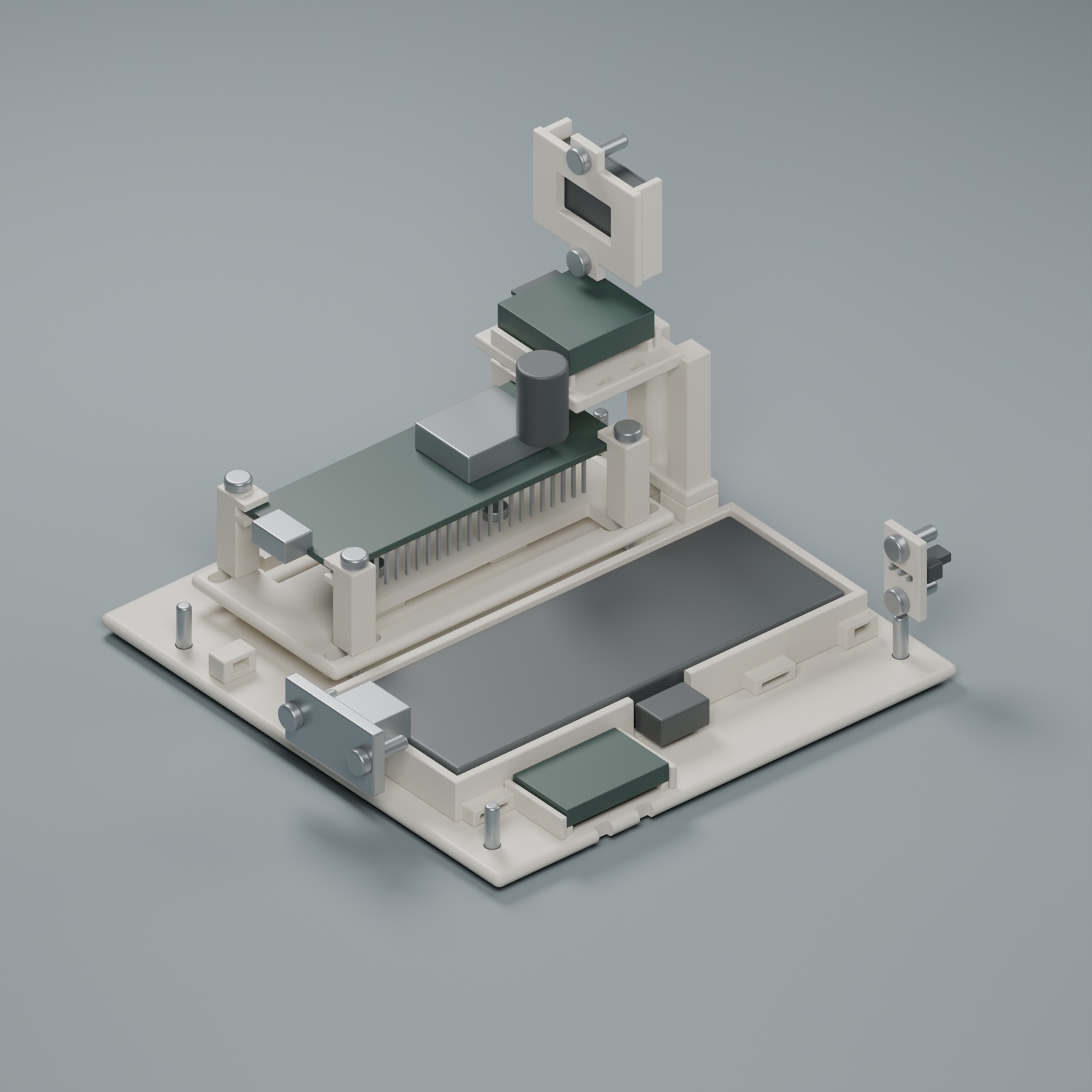
The ESP32-S3 sits on a raised adjustable sled with its pins pointing down. Four clips hold the display behind the front window. Six switches are soldered to one perfboard under the sloped button deck. A separate MP3 module plays voice clips through the side speaker.
The rear cover comes off for microSD updates. The bottom tray holds the padded battery pocket and charge module, and comes out for battery replacement. The case still fits the original shell size. Digital checks pass for all 27 printable files; physical fit is still untested.
Battery, audio and power
The long battery fits under the front deck, with a soft pad, 1 mm clearance on each side and loose retention straps. The speaker sits behind an upper side grille, where the desk will not block the sound. The MP3 holder is raised above the ESP32.
Two USB-C ports have separate jobs: the panel socket charges the battery, and the ESP32 port loads firmware. A slide switch disconnects the module output from the device. A small side button provides access to the charge module’s KEY function.
Never connect the battery directly to the ESP32. Do not squeeze, bend or pierce it; stop using it if it swells or heats. Turn the slide switch off before connecting programming USB, and check the board’s power connections before using two supplies at once.
Core ideas
Perception
How a robot knows what is happening. For Pico, that is button presses and incoming messages, not cameras.
Control
A state machine on the ESP32 moves between idle, working, waiting, approval needed, error and done.
Communication
Wi-Fi links Pico to the computer running the agent. Every request needs a reply, even on timeout.
Expression
Faces and sounds tell you the state before you read any text.
Types of robots
| Type | What it does |
|---|---|
| Industrial | Fixed arms that weld, paint and assemble in factories. |
| Service | Robots that do work for people, like cleaning or delivery. |
| Social | Robots built to communicate with people through faces, sound and gesture. Pico belongs here. |
| Mobile | Robots that move through a space, such as warehouse carts and delivery robots. |
| Autonomous | Robots that decide and act without step-by-step human control. |
| Humanoid | Robots shaped like people, to work in spaces made for people. |
| Surgical | Robots that give surgeons finer, steadier control. |
| Rescue | Robots that enter places too dangerous for people. |